> ## Documentation Index
> Fetch the complete documentation index at: https://docs.mesi.app/llms.txt
> Use this file to discover all available pages before exploring further.
# About Mesi AI
> Meet your smart assistant for content creation, account management, and real-time execution.
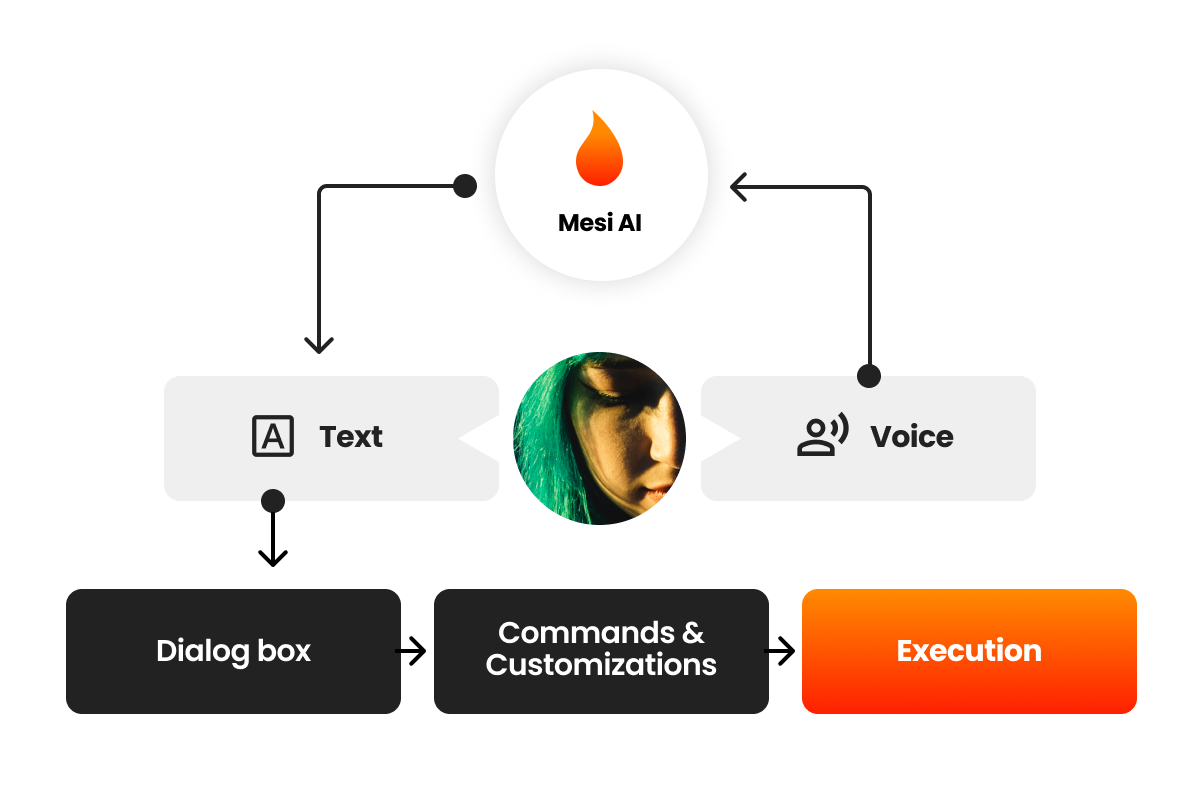
Mesi AI is a versatile smart assistant integrated directly into your contacts list. You can interact with it just like a friend via text or voice to create images, videos, and music, or to manage your platform settings.
## Interaction Modes
### Text Input
Mesi AI uses advanced natural language processing to understand intent even with typos or unclear phrasing.
* **Auto-Correction:** Suggests helpful fixes for your prompts.
* **Predictive Text:** Can finish your sentences to speed up the creative process.
* **Multilingual Support:** Communicate fluently in dozens of languages.
### Voice Command Engine
Voice interaction allows for hands-free management, perfect for creators on the move. Mesi’s voice recognition is built to handle real-world conditions.
* **Robust Recognition:** Accurate performance despite background noise, accents, or slang.
* **Contextual Intelligence:** Understands unfinished sentences and nuances in speech.
* **Voice Shortcuts:** Create one-word commands to trigger complex, multi-step actions.
* **Error Correction:** Simply say *"Undo"* or *"Repeat"* to fix actions. If the AI is unsure, it will ask for clarification (e.g., *"Did you mean bold or italic?"*).
***
## Live Executions
Mesi AI enables **Instant Feedback**—commands are executed in real time as you speak.
* **Direct Styling:** Say "Make the header bold and red," and the update happens instantly.
* **Multimodal Interaction:** Use **voice and touch together**. For example, tap a section of your content and say, "Make this bigger."
 ***
## Usage & Tiers
Access to Mesi AI features is primarily a paid service, but users can unlock free access through the ecosystem's loyalty program.
By upgrading your **Mesi User Tier**, you unlock a monthly allowance of free AI usage.
1. **Purchase \$MESI:** Acquire the native platform token.
2. **Lock Tokens:** Stake your tokens to increase your tier.
3. **Higher Tier = More AI:** The more tokens you lock, the higher your monthly free usage limit.
For detailed tier requirements, see [User Tiers & Creator Limits](/gamification/user-tiers-and-creator-limits).
***
## Usage & Tiers
Access to Mesi AI features is primarily a paid service, but users can unlock free access through the ecosystem's loyalty program.
By upgrading your **Mesi User Tier**, you unlock a monthly allowance of free AI usage.
1. **Purchase \$MESI:** Acquire the native platform token.
2. **Lock Tokens:** Stake your tokens to increase your tier.
3. **Higher Tier = More AI:** The more tokens you lock, the higher your monthly free usage limit.
For detailed tier requirements, see [User Tiers & Creator Limits](/gamification/user-tiers-and-creator-limits).